The smartest developers in 2026 are not picking one AI tool - they are orchestrating them. Here is how TunerLabs routes work across Kimi K3, Claude Code, and GitHub Copilot to cut autonomous dev costs, with a benchmark reality check, an honest code-quality comparison, and the real cost math.
Why the Smartest Devs in 2026 Are Not Picking One AI Tool
Let me paint you a picture. It is 2 AM. You are staring at a 400-line React component that started as a simple form and has since grown into something that would make Frankenstein's monster look elegant. Your Copilot subscription just burned through its monthly AI credits by the 15th. Again. Claude Code is spinning its wheels on a refactor because it keeps hallucinating the wrong import path. And somewhere in the back of your mind, you are calculating whether this month's tooling bill is going to get you a very awkward conversation with your engineering manager.
Sound familiar?
If you have been writing code with AI for the past couple of years, you have probably learned the same hard lesson we did: no single tool does everything well. Copilot is brilliant for the micro-moments. Claude Code is unmatched for the macro-architecture sessions. But both have blind spots, cost ceilings, and moments where they confidently serve you garbage.
Then Kimi K3 dropped in July 2026, and the math changed.
**Spending too much on autonomous coding agents?** Book a free 30-minute engineering call with TunerLabs and we will map a model-routing setup that cuts your AI tooling bill without cutting quality.
What Kimi K3 Actually Is (And Why Devs Should Care)
Moonshot AI's Kimi K3 is not just another model release to scroll past. At 2.8 trillion parameters, it is the first open-weight model in what they are calling the "3T class." That matters for two reasons: you can actually download and run it yourself if you have the GPU muscle, and its API pricing undercuts the frontier competition by a factor that makes finance teams do a double-take.
But let's talk about what actually matters when you are shipping code.
The Benchmark Reality Check
On SWE-bench Verified - the closest thing we have to a "can this model actually fix real GitHub issues" test - Kimi K3 scores around 65 to 67%. That puts it in the same tier as Claude Fable 5 (63 to 66%) and GPT-5.6 Sol. It is not magic. It is not going to replace your senior engineer. But it is competitive with the models you are probably already paying premium rates for.
Where K3 starts to pull ahead is in specific domains. It topped the Frontend Code Arena leaderboard, ahead of Claude Fable 5, with a 17-place jump from its predecessor. If you are doing UI work, design-to-code conversions, or anything that requires visual reasoning alongside code generation, K3 has a structural edge.
It also built an entire GPU compiler from scratch, MiniTriton, with performance rivaling Triton itself. That is not a benchmark parlor trick. That is "can this model reason about complex systems" territory.
Code Quality: The Good, The Bad, and The "Wait, It Did WHAT?"
Let's be brutally honest about code quality across these tools.
Kimi K3: The Autonomous Coder
K3's biggest code quality strength is autonomy. It does not stop every three lines to ask if you are sure. It sustains long engineering sessions, navigates massive repositories, and orchestrates terminal tools with minimal hand-holding.
In practice, this means you can hand it a multi-file refactoring task, go make coffee, and come back to a coherent set of changes. The code it generates tends to be structurally sound - it understands cross-file dependencies better than you would expect from an open-weight model.
But here is the catch: K3 has a hallucination problem. On the AA-Omniscience benchmark, its hallucination rate hit 51% on non-correct responses. That does not mean it is wrong half the time overall - it means when it is wrong, it is confidently wrong. It will guess rather than hedge. For a developer, this translates to code that looks perfect, compiles cleanly, and subtly breaks in production because it invented an API method that does not exist.
Claude Code: The Careful Architect
Claude Fable 5, which powers Claude Code, is the safety-first counterpart. It flags uncertainty more often. It makes fewer destructive edits. When you are working in a large monorepo with deep dependency chains, Claude Code's cross-file reasoning is more reliable. It will not surprise you as often.
The trade-off? It pauses. It asks clarifying questions. It errs on the side of caution. For some workflows, that is a feature. For others, especially when you are iterating fast or working on greenfield projects, it is friction.
GitHub Copilot: The Pair Programmer
Copilot's code quality is situational. For inline completions in familiar codebases, it is often eerily accurate. It predicts your next edit before you make it.
But Copilot's agent mode and multi-file capabilities are newer and less robust. It breaks down after about 20 files in complex refactors, and its retrieval-based context model can miss cross-file dependencies that Claude Code or K3 catch with their massive context windows.
Accuracy: When It Matters and When It Does Not
Accuracy is not a single metric. It is a matrix of use cases.
| Task Type | Kimi K3 | Claude Code | Copilot |
|---|---|---|---|
| Inline autocomplete | Not available | Not available | Excellent |
| Multi-file refactoring | Strong | Excellent | Moderate |
| Visual / UI code generation | Excellent | Good | Good |
| Tool use / API calls | Good | Excellent | Good |
| Complex algorithm design | Strong | Strong | Moderate |
| Debugging across modules | Strong | Excellent | Moderate |
For terminal-based agentic work, K3 and Claude Code are neck-and-neck on raw capability. K3 wins on Terminal-Bench (88.3 vs 84.6) and SWE Marathon (42.0 vs 35.0). But Claude Fable 5 wins on tool-use accuracy - fewer malformed function calls, better JSON formatting, more consistent outputs in multi-tool environments.
The practical implication? If you are building an agent that calls 10 or more tools in a single run, Claude Code's reliability advantage might save you more time than K3's raw capability. But for pure code generation, especially frontend work, K3's accuracy is genuinely competitive.
The Cost Reality: Why Your Tooling Bill Is Probably Too High
Here is where K3 flips the table.
The real comparison gets interesting when you look at hosted API costs versus self-hosting, and when you factor in how much cheaper K3 is through third-party providers. Independent analysis puts K3 at roughly 5 to 6x cheaper than Claude Fable 5 for equivalent task volume.
Let's run the math on a real scenario. Say you are running a coding agent that handles 1,000 tasks per month, averaging 50K tokens each:
- Kimi K3: roughly $130 to $150 per month
- Claude Fable 5: roughly $900 to $1,000 per month
That is not pocket change. That is "do I hire another junior dev or do I optimize my AI spend" money.
But the full picture is more nuanced. The average developer using a mix of inline and agentic tools is already spending $200 to $600 per month in total tooling costs (seat fees plus token spend). A 100-developer organization can hit $400,000 to $600,000 annually before accounting for background API costs.
K3's open-weight nature is the hidden cost saver. If you have the infrastructure (and the compliance requirements), you can self-host and eliminate per-token pricing entirely. For teams handling regulated data - healthcare, finance, legal - this is not just about money. It is about data residency and control.
The caveat? Self-hosting a 2.8T parameter MoE model is not trivial. You need serious GPU infrastructure. Most teams will use K3 via hosted API. But the option exists, and that is more than you can say for a fully closed, API-only model.
The Hybrid Workflow: How We Are Actually Using These Tools
After months of experimentation at TunerLabs, here is our current setup. It is not theoretical. It is what works.
1. GitHub Copilot: The Daily Driver
Copilot stays in the IDE for the 80% of work that is routine. Inline completions, quick refactors, generating boilerplate. It is fast, it is quiet, and after a while it feels like an extension of your fingers. You do not think about it. You just type, tab, and move on.
When it fails: Complex multi-file changes, architectural decisions, anything requiring reasoning across more than a few files. Copilot's agent mode helps, but it is not there yet for the heavy lifting.
2. Claude Code: The Architect
When we need to refactor a core module, migrate a framework, or reason about architecture across 50 or more files, we switch to Claude Code. Its large context window means it can hold an entire codebase in memory.
We use it for the tasks where getting it wrong is expensive. Claude's tendency to pause and ask questions is actually a feature here - it catches assumptions we would miss.
When it fails: Cost. Heavy Claude Code usage runs $150 to $250 per developer per month. For high-volume agentic work, the bill adds up fast. Also, it has no inline autocomplete, so it is not replacing your IDE plugin.
3. Kimi K3: The Workhorse
This is where K3 fits in our workflow. We route high-volume, cost-sensitive agentic tasks to K3. Batch code generation. Frontend implementation from mockups. Long-running autonomous tasks where we can review the output afterward.
The cost savings are real. We can run 5 to 6x more K3 agent tasks for the same spend as Claude. For greenfield features, prototyping, and anything where we need to generate a lot of code fast and review it later, K3 is the go-to.
When it fails: Tool-heavy agentic workflows. If an agent needs to call 10 different APIs, format perfect JSON every time, and handle nested tool outputs, K3's higher error rate on tool use means more retries and debugging. Also, K3's hallucination rate means we review its output more carefully than Claude's.
4. Model Routing: The Secret Sauce
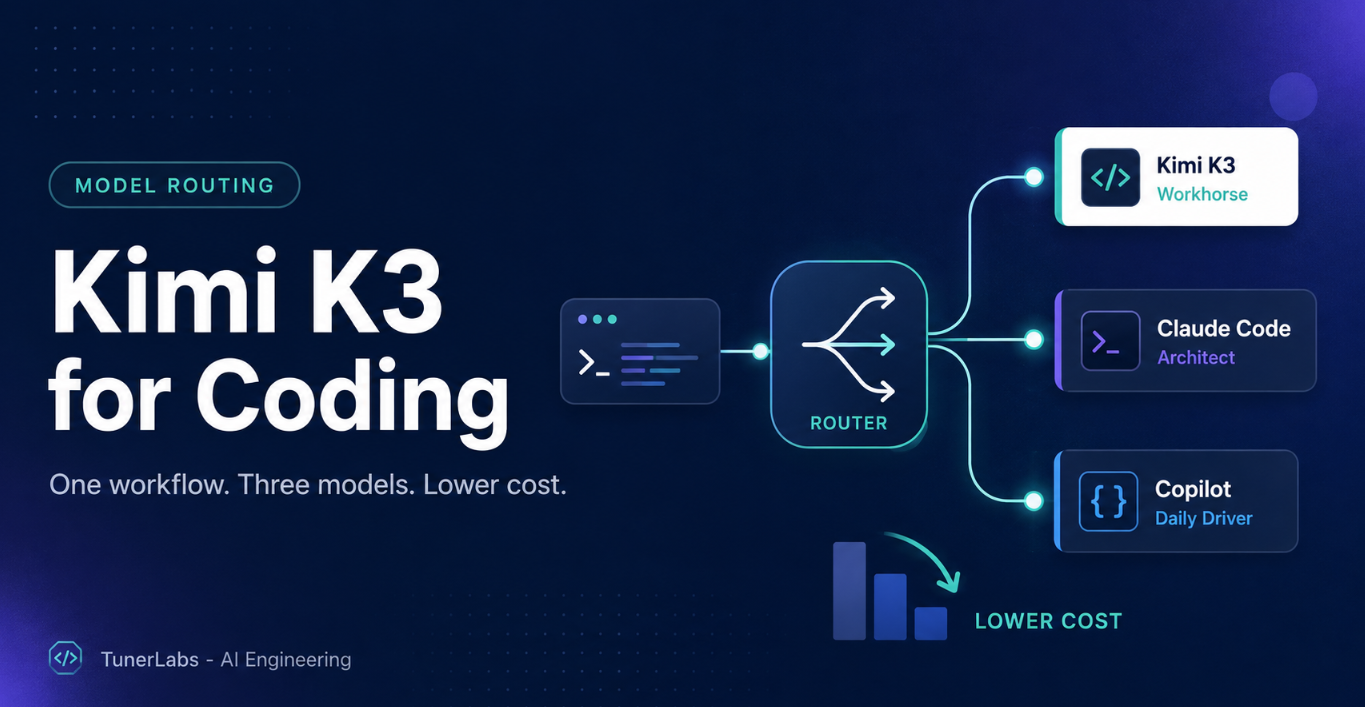
The real power move is not picking one tool. It is routing tasks intelligently. Simple completions go to Copilot. Complex architecture goes to Claude Code. High-volume generation goes to K3. Visual and UI work goes to K3. Multi-tool agents go to Claude.
Some teams are already building this routing into their CI/CD pipelines. A failing test? Route to Claude for careful debugging. Need to generate 20 new API endpoints from a spec? Route to K3. Daily coding? Copilot.
The Honest Verdict
Kimi K3 is not going to make Claude Code or Copilot obsolete. That is not how this works. What K3 does is give developers a cost-efficient, capable alternative for specific workloads, especially high-volume agentic tasks and visual or UI coding.
The benchmark numbers show K3 is in the same tier as the best closed models. The pricing numbers show it is dramatically cheaper. The open-weight status gives you options that closed models simply cannot match.
But the hallucination rate is real. The tool-use reliability gap is real. And the "it just works" factor of Copilot's IDE integration or Claude's careful reasoning is not something you can benchmark.
Our advice? Do not commit to one tool. Commit to a workflow.
Use Copilot for the daily grind. Use Claude Code for the architecture that matters. Use K3 for the volume work where cost would otherwise kill your budget. And keep your eyes open, because in six months the landscape will have shifted again, and the developer who knows how to mix and match will be the one shipping the most code.
The future of AI-assisted development is not a single supermodel. It is an orchestra of specialized tools, and Kimi K3 just became one of the most cost-effective instruments in the ensemble.
Want to cut your autonomous dev costs without cutting quality? Talk to TunerLabs - we build production AI engineering systems and model-routing pipelines that send each task to the most cost-effective capable model. We will help you design the workflow, wire up the routing, and keep the review guardrails that stop confident hallucinations from reaching production.
Topics:
Master Claude Code
The complete architecture guide — Skills, Agents, Memory & the full Tools reference. Everything in one beautiful page.